


hours
The chosen clock times and prices — ready for wallbox, storage or heat pump.
Live · Windows Flex
Pick EV, battery or heat pump: the demo shows the cheapest hours in the 7-day window — including Windows Flex for wallbox and relay slots.
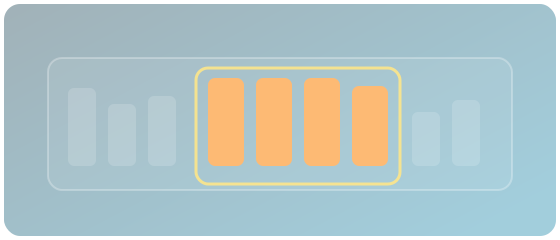
20 kWh, 11 kW wallbox, window 22:00–06:00. Windows does not take the whole night — only the three cheapest hours in it.
Three hours in the night window the EMS can set:
Illustrative example. The live demo below uses real 7-day prices.
Pick a scenario, set the window and hour count, get text and a table. Same prices as live electricity prices.
One window, N hours, one ranking.
EV, storage, heat pump or export fills start, end and hour count.
Windows takes the N cheapest (or priciest) hours in the window — default across the whole week.
Hours also says how many hours this plant needs. This demo shows the window.
GET /v1/decision/windows — the N hours, not the whole curve.
hoursThe chosen clock times and prices — ready for wallbox, storage or heat pump.
Either <code>count</code> or <code>energy_kwh</code> plus power — Windows computes the hours.
Charge in the valley, export on the peak — <code>mode</code> and <code>role</code> set the direction.
Windows picks the N cheapest hours. Hours computes how many hours storage, load and PV need now — and at which clock times.
The demo uses the same logic internally. Spec and parameters are under Windows docs. No copy-paste API link from the demo.
On Live electricity prices — seven days, hour by hour.
Community to try. Spec and quick start to integrate. Hours when the battery sets the hour count.